
Qatar ID Cancellation Status Check Online in 2026

If you have left your job, changed sponsors, or are preparing to leave Qatar, it is important to verify whether your Qatar ID (QID) has been cancelled successfully. Checking your Qatar ID cancellation status helps you avoid issues related to residency, visa applications, travel, and future sponsorship transfers.
A Qatar ID cancellation confirms that a resident’s permit has been officially terminated by the employer, sponsor, or relevant authority. Once the cancellation process is completed, the status can be verified online through official government services.
In this guide, you’ll learn how to check your Qatar ID cancellation status online using the Ministry of Interior (MOI) website and the Metrash2 app, along with the information required for verification.

Checking your Qatar ID cancellation status online is a straightforward process. The Ministry of Interior (MOI) Qatar provides an online inquiry service that allows residents to verify whether their Qatar ID has been cancelled successfully. You can also use the Metrash2 app to track the status of your cancellation request.
To check your Qatar ID cancellation status online, visit the MOI Qatar website, open the Official Documents Inquiry service, enter your Qatar ID number, complete the CAPTCHA verification, and click Search. The system will display your current cancellation status.
How to Check Qatar ID Cancellation Status Online Through MOI?
Visit the MOI Qatar Website
Visit the official Ministry of Interior (MOI) Qatar website and navigate to the MOI Services section.
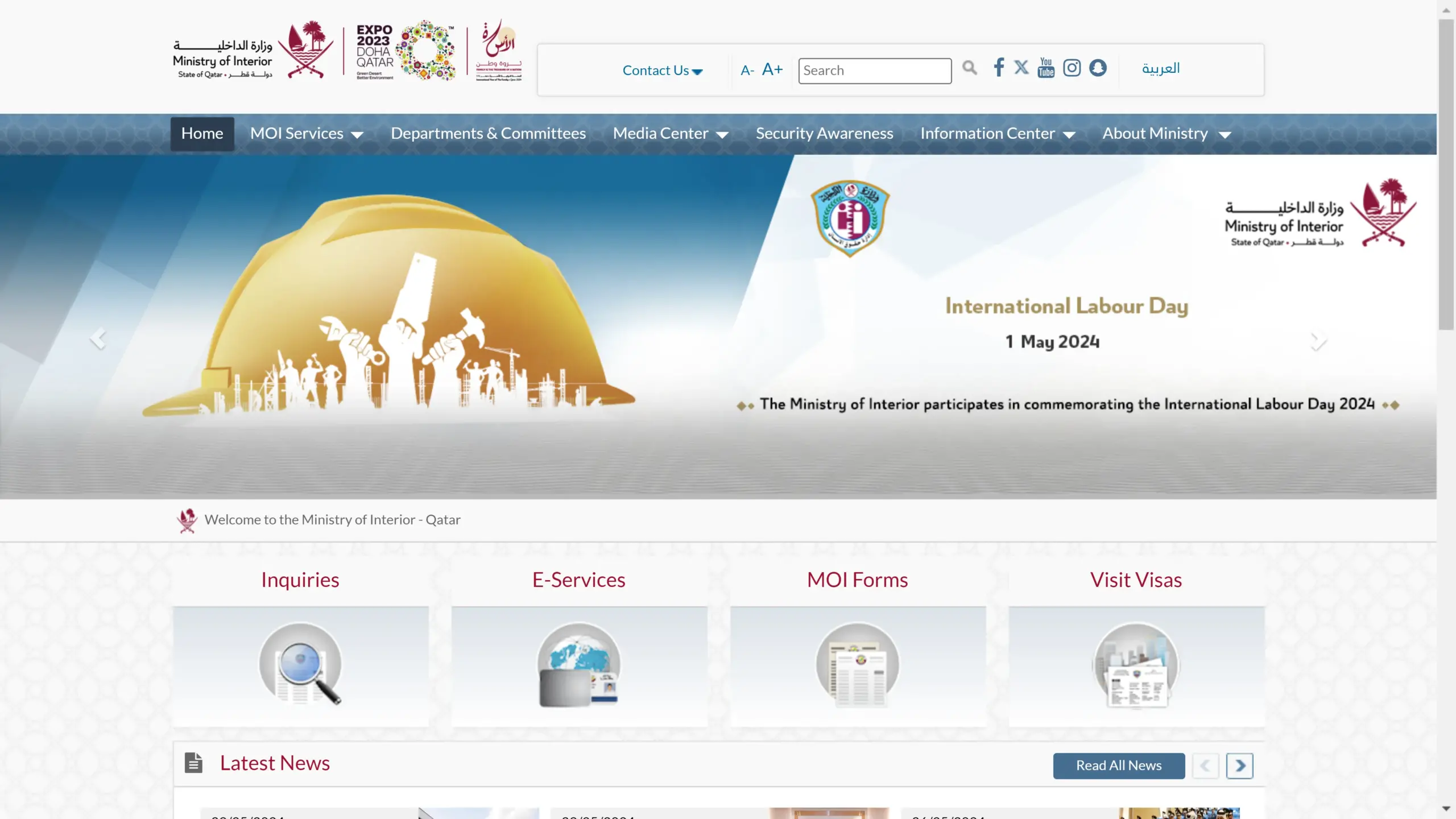
Click on MOI Services.
After opening the page, click on MOI Services.
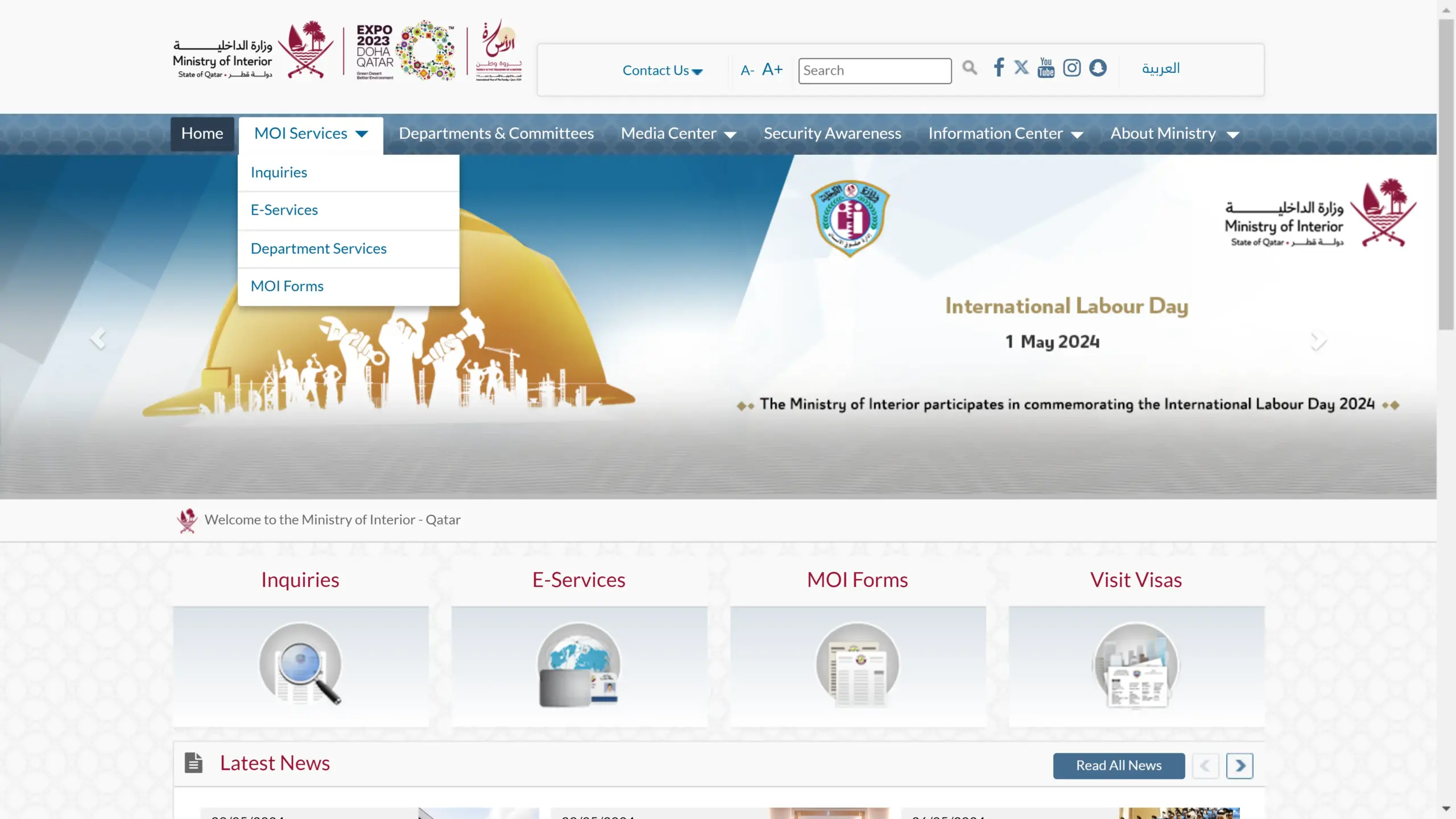
Open the Inquiries Section
From the MOI Services menu, select Inquiries to access various online verification services.
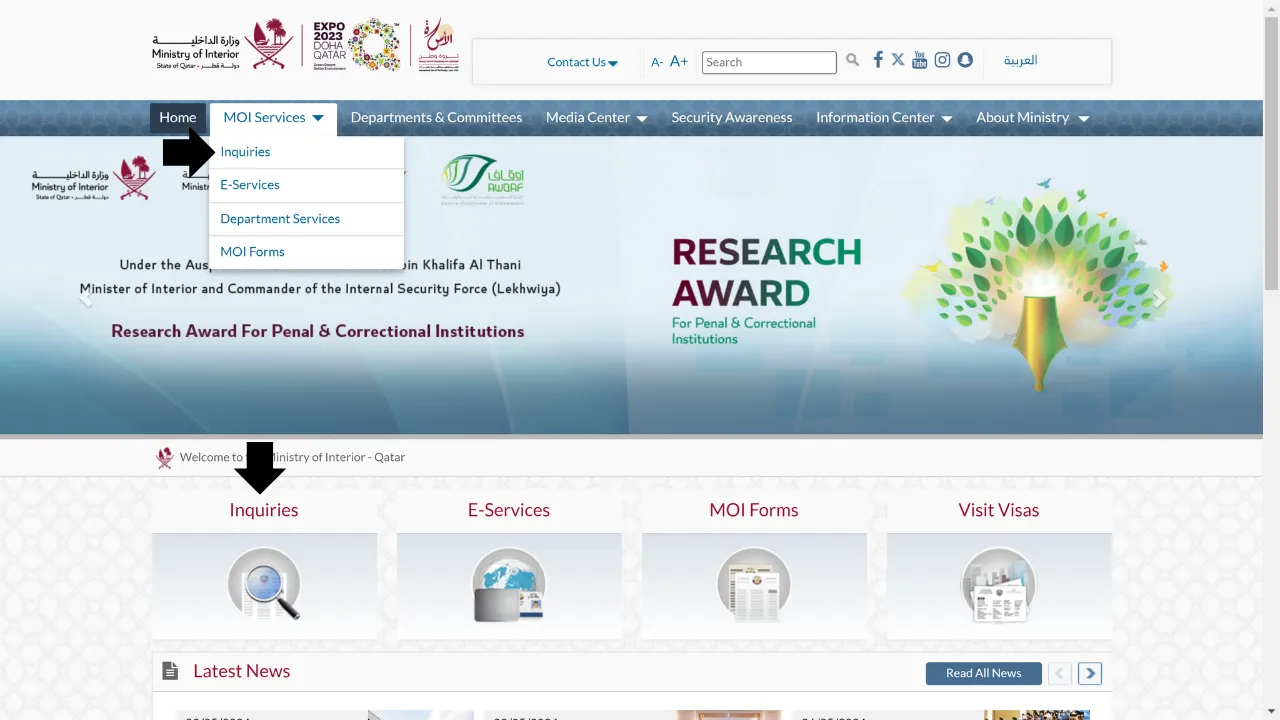
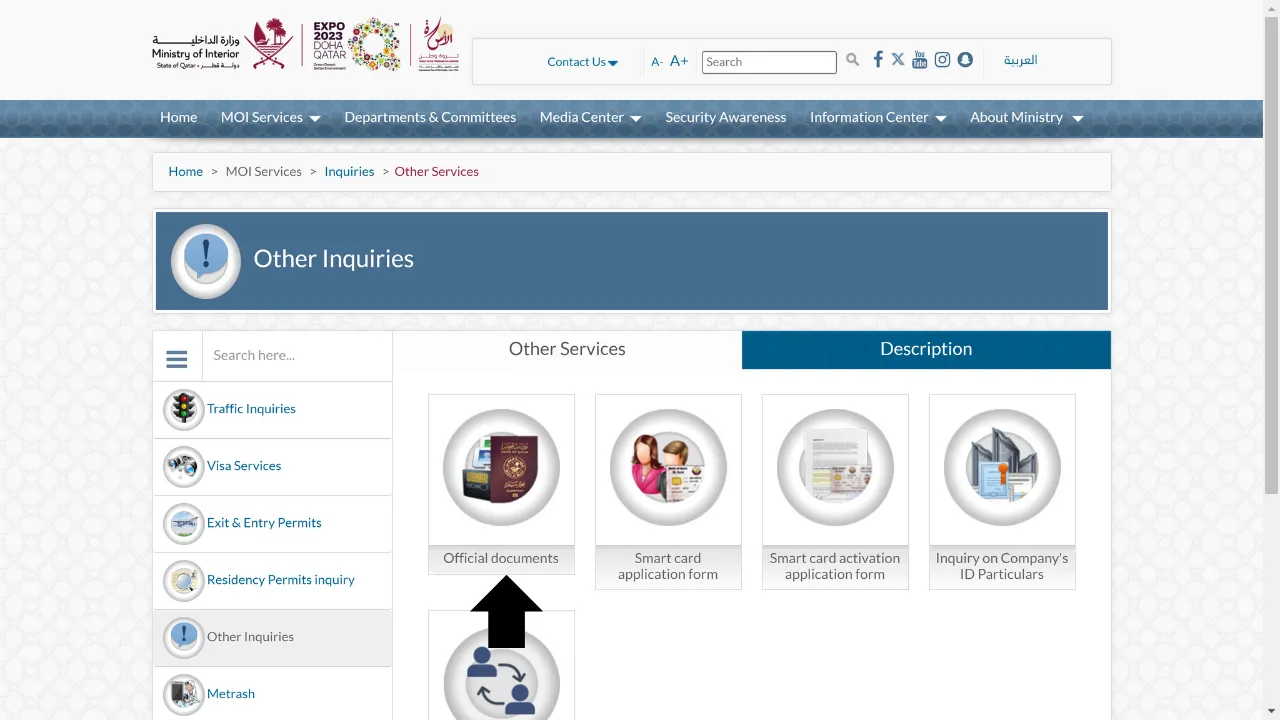
Click on other inquiries.
Select Official Documents Inquiry
Click Other Inquiries and then choose Official Documents Inquiry to proceed with the Qatar ID cancellation status check.
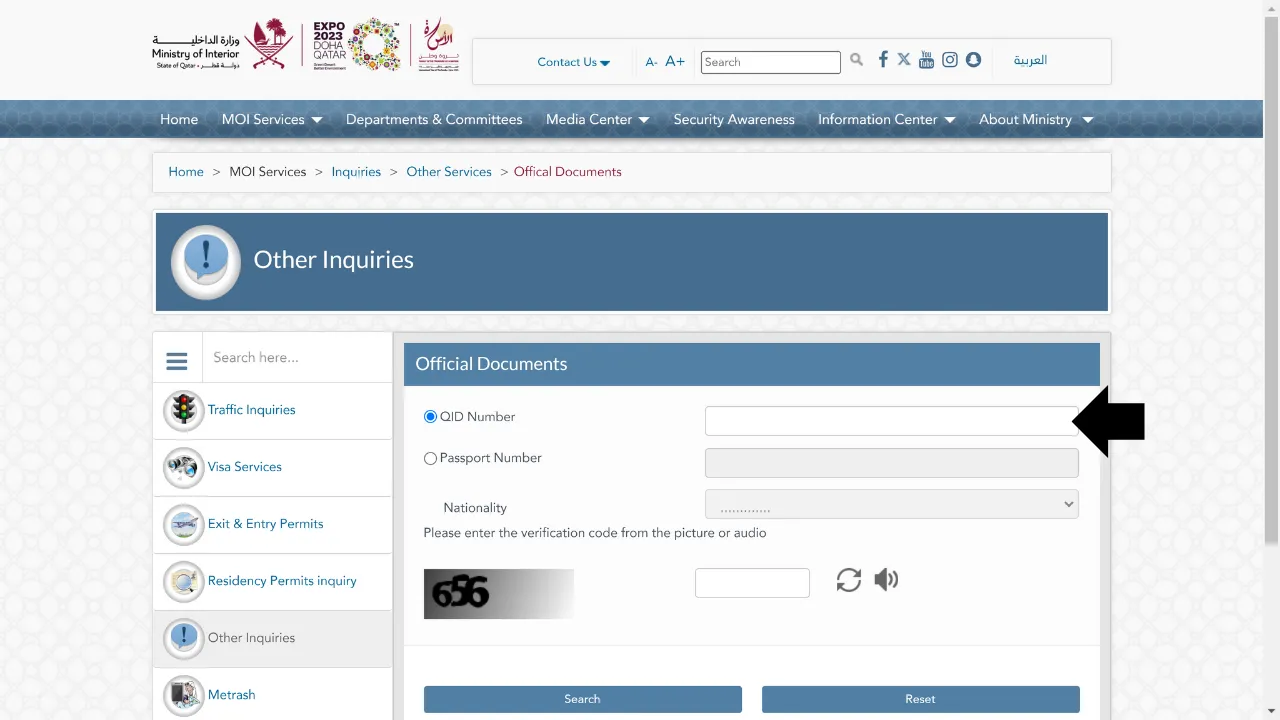
Enter Your Qatar ID Number
Enter your Qatar ID (QID) number in the required field and complete the CAPTCHA verification.
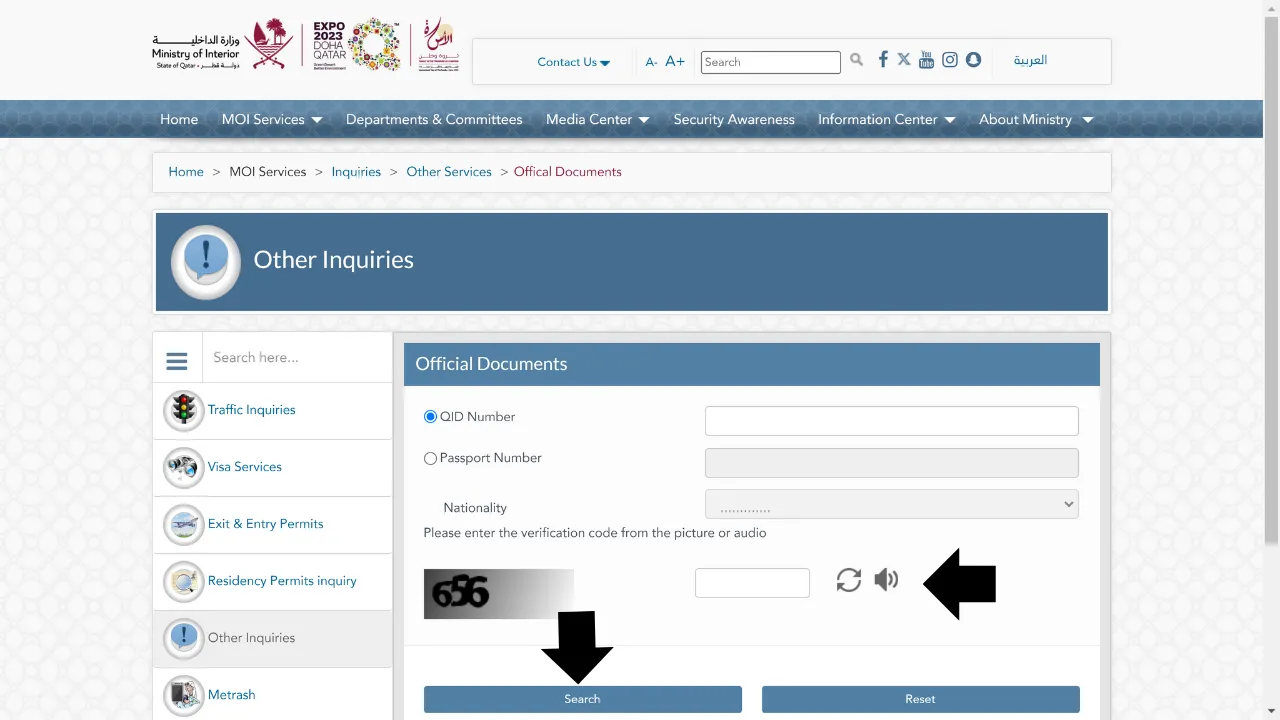
View Your Cancellation Status
Complete the CAPTCHA and click the Search button. The system will display the current status of your Qatar ID, including whether it has been cancelled successfully. If you want to go directly to the relevant page, simply click on this link.
Required Information
To check the cancellation status of your Qatar ID online, you’ll need to provide specific details—namely your passport number and Qatar ID number. Without this information, you won’t be able to proceed with the verification process.
Ensure both numbers are readily available before starting. Once entered into the official portal, you’ll be able to track the status of your Qatar ID cancellation quickly and efficiently.
Tracking Progress
Monitoring the cancellation status of your Qatar ID online provides both convenience and real-time updates. By checking regularly, you can stay up to date with any changes or progress in the cancellation process, ensuring you’re always informed and prepared for the next steps.
Overview of Qatar ID Cancellation Process Offline
Few steps should be followed to cancel Qatar ID Status offline. These steps are as follows.
Initial Steps
To begin the Qatar ID cancellation process, visit the nearest service center and submit a formal cancellation request. Be sure to bring the required documents, such as your passport and residence permit, for verification.
After your request is processed, your Qatar ID will be officially cancelled, and you’ll receive a confirmation message. It’s important to ensure that all outstanding dues are cleared before starting the cancellation procedure.
Importance of Proper Cancellation
Properly cancelling your Qatar ID is essential to avoid future complications. It serves as official confirmation of the end of your residency status in Qatar and ensures compliance with local laws and regulations.
A correct cancellation also protects you from potential identity misuse or unexpected financial liabilities that could occur if your personal details are used improperly by others.
What happens if Qatar ID is not cancelled properly?
Failing to properly cancel your Qatar ID can lead to several problems. You may end up being charged for services you no longer use or even face fines for overstaying after your visa has expired.
Additionally, not following proper procedures can result in legal complications. Unresolved issues—such as outstanding dues or incomplete documentation—may affect your ability to return to Qatar in the future.
Proper cancellation is essential to avoid unnecessary penalties and ensure a smooth exit from the country.
Qatar ID Cancellation Status on Metrash2 App
To check the cancellation status of a Qatar ID through the Metrash2 app, you can follow these steps:
Download and Install Metrash2 App
Make sure the Metrash2 app is installed on your smartphone. You can easily download it from the App Store for iOS devices or the Google Play Store for Android devices.
Log in to Metrash2
Log in to Metrash2
Launch the Metrash2 app and sign in using your Qatar ID and password. If you haven’t registered yet, you’ll need to complete the registration process before logging in.
Search for “Visa Services”
After logging in, locate the “Visa Services” section within the Metrash2 app. This section provides access to various visa-related features, including the option to check the status of your Qatar ID.
Check Cancellation Status
Find the option that allows you to verify the status of your Qatar ID cancellation. It may be labeled as “Check ID Cancellation Status” or a similar phrase. Click on this option to proceed.
Enter Required Information
You might be asked to provide specific information, such as your Qatar ID number or other personal details, to verify your identity.
View Status
Once you’ve entered the required information, the app will display the current status of your Qatar ID cancellation request. It will indicate whether your ID has been cancelled or remains active.
Follow Up if Necessary
If the status shown is unclear or you have any concerns, you can reach out to the appropriate authorities or contact customer support through the app for further assistance.
Important Note
Note that the steps and options within the Metrash2 app may vary slightly due to updates or changes to its interface and features. If you’re unable to locate the specific option for checking your Qatar ID cancellation status, consider referring to the app’s user guide or reaching out to customer support for assistance.
Final Words
You now have a clear guide to efficiently navigate the Qatar ID cancellation process. By following the outlined steps and using online tools like the Metrash2 app, you can easily check your ID cancellation status and manage any related inquiries. Understanding the importance of your Qatar ID helps you stay informed and in control. Take charge of your ID verification process today for a smooth and hassle-free experience.


